


How to Wipe a Hard Disk Drive Safely & Permanently: Step by Step
 364
364Introduction
Living in the era when both personal and corporate information is under threat all the time, understanding how to securely and effectively wipe a hard disk drive is one of the digital skills that are critical to learn. Most users believe that sensitive information can be erased by simply deleting files or formatting a disk drive, but the problem is that most of the data can be restored using even simple recovery software. You can be selling an old computer, recycling a hard drive, or simply changing an operating system or just keeping some confidential information, but wiping a hard disk properly will make sure that your information will not be recovered. This is a step-by-step guide on how the hard drive wiping works, when it is required, and the methods that can really permanently remove the data.
What Does It Mean to Wipe a Hard Disk Drive?
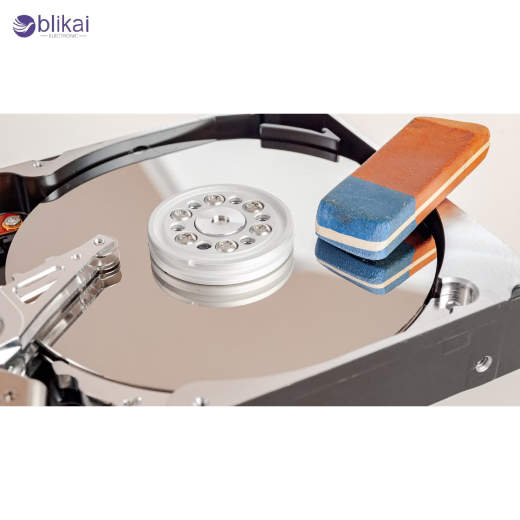
Deframing a hard disk drive irreversibly erases all the data in it, such that one cannot recover it. Wiping is also used in contrast to file deletion, which removes only references to data, but it actually overwrites the existing data sectors in the disk. Conventional hard disk drives (HDDs) store data magnetically on rotating platters, and unless such magnetic features have been overwritten, one can still recover the original information in such data. An appropriate hard drive wipe overwrites those patterns with zeroes, random data or known patterns so that the original information is destroyed permanently.
Why Deleting Files or Formatting Is Not Enough
The files are deleted, or the recycle bin remains empty, and the operating system simply tells the user that it is free. The actual data is not altered, but in case of new data being received, it replaces the older data. A fast format also does not delete files, but restores the file system structure to its initial state. Even a full form can be unsuitable for the contemporary security requirements. That is why so many files may be recovered using the data recovery software when they were allegedly erased. Secure wiping also solves this weakness by overwriting all sectors of the hard drive on purpose.
HDD vs SSD: Why Wiping Methods Matter
Understanding the difference between HDDs and SSDs is critical when choosing a wiping method. HDDs use magnetic platters, making overwriting the most effective erasure technique. SSDs, on the other hand, store data in flash memory and use wear-leveling algorithms that make traditional overwriting unreliable. The following guide is related to hard disk drives (HDDs), in which overwriting, multi-pass wiping, and secure erase techniques have proven to be successful and supported.
Common Hard Drive Wiping Methods Explained
File Deletion
Deletion of files deletes directory records but leaves data. This is not a secure procedure that can be used to delete any sensitive data.
Quick Format vs Full Format
Impromptu format restores file system structure without data rewriting, which makes it simple to recover. A complete format scan includes bad sector scanning and can even overwrite information in certain operating systems; it is not considered to be securely erased.
Data Overwriting
In overwriting, the current data are overwritten with 0s, 1s or random designs. Most home users have enough on single-pass overwriting, and more peace of mind on multi-pass overwriting provides the extra protection on sensitive data.
Secure Erase
Secure erase is a low-level command that is used to command the drive to erase all the areas accessible to the user. Secure erase is extremely efficient and fast on HDDs and can be significantly quicker than software-based overwrite.
Step-by-Step: How to Wipe a Hard Disk Drive Safely
Step 1: Back Up Important Data
Before wiping a hard drive, ensure all important files are backed up. This comprises documents, photographs, software licenses and configuration files. Use an external storage device (hard drive), network storage or cloud backup. The process of wiping once begun can hardly be salvaged.
Step 2: Identify the Correct Hard Drive
Verify which drive you intend to wipe, especially on systems with multiple drives. Check drive capacity, model number, and assigned letters or mount points. The commonest and also the most costly mistake is that of wiping the wrong drive by mistake.
Step 3: Choose the Appropriate Wiping Method
A single-pass overwrite is normally adequate to serve personal purposes. Multi-pass overwriting or secure erase in accordance with established standards is suggested in case of business or controlled environments. This option is based on the sensitivity of data and compliance.
Step 4: Wipe a HDD Using Built-In Windows Tools
Windows users have built-in utilities like Disk Management and command-line tools. A full format with overwriting is better than a quick format, as it ensures better results are obtained. In case the system drive is being wiped, it is possible to use bootable recovery environments.
Step 5: Wipe a HDD Using macOS Disk Utility
On Mac, the Disk Utility offers secure erase on the HDDs. By booting into recovery mode, users have the option of overwriting passes and erasing complete drives, including system partitions.
Step 6: Wipe a HDD Using Linux Tools
The Linux platform provides strong command-line utilities that can overwrite disk sector by sector. These tools can, of course, be used with full control over the forms of overwrite, and are capable of verification, but must be handled with care because they are not reversible.
Step 7: Use Third-Party Hard Drive Wiping Software
Dedicated wiping tools often provide user-friendly interfaces, verification reports, and compliance with recognized standards. Home users will need the free tools, whereas businesses will need the paid tools with audit logs and erasure certificates.
Step 8: Verify the Hard Drive Has Been Wiped
Wiping is followed by the process being checked to see that it has been successful. Certain software automatically checks corrupted sectors. The other method of ensuring that erasure occurred successfully is by trying to recover files with recovery software.
Recommended Data Wiping Standards
DoD 5220.22-M
This U.S. Department of Defense standard specifies multiple overwrite passes. Although no longer required by the DoD, it remains widely referenced in commercial wiping tools.
NIST 800-88
The latest version of the standard of media sanitization is NIST 800-88, which suggests the approaches to media sanitization, depending on the sensitivity of data and the type of drive. In the case of HDDs, overwriting and secure erase are deemed to be effective.
How Long Does It Take to Wipe a Hard Drive?
The time required to wipe is based on the size of the drive, the speed of the drive and the number of passes to overwrite. A 1 TB HDD could require many hours to overwrite a single pass and much longer to overwrite using multi-pass. Secure erase is often faster because it operates at the firmware level.
Can Data Be Recovered After a Hard Drive Is Wiped?
When a hard disk drive has been overwritten correctly or securely erased, then data recovery is virtually impossible. It has been demonstrated by modern studies that even high-tech forensics cannot reliably recover overwritten data on HDDs. Claims of recovery after proper wiping are largely myths.
Mistakes to Avoid When Wiping a Hard Disk Drive
The most widespread error is the inability to back up data. Another one is the use of quick format, rather than secure wiping. The interrupting of the wiping process may leave some data behind. Never interrupt the process and never check the results.
Physical Destruction vs Software Wiping
Most users can get by with software wiping, and this does not eliminate the reuse of the drive. Physical destruction of data is only done in highly sensitive data or damaged drives that cannot be wiped electronically, e.g., shredding or drilling. Physical methods destroy data but are sure to destroy it absolutely.
Hard Drive Wiping for Businesses and Enterprises
When disposing of the storage devices, organizations have to comply with data protection regulations. Legal requirements are met through good wiping procedures, audit trails and certificates of destruction. The wiping policies need to be standardized by the IT departments, with all the erasure activities being documented.
FAQ
Is formatting a hard drive enough?
No. The only way to be sure that the data is erased is by formatting, thus being able to recover.
Can I wipe a hard drive without an operating system?
Yes. Wiping tools are bootable tools that can be erased without OS installation.
Final Thoughts
Wiping a hard disk drive is a critical requirement for keeping personal privacy and business data secure. It is not sufficient to delete files or formats to be able to prevent recovery. With the right wiping techniques, adhering to accepted standards, and checking results, you will be able to make sure that your data is indeed lost. Whether you are an individual user or managing enterprise hardware, secure hard drive wiping is a critical step in responsible data management.
Some images are sourced online. Please contact us for removal if any copyright concerns arise.





