


How to Clean Corroded Battery Terminals: Step-by-Step Guide
 972
972Introduction
Good battery contacts would provide a good electrical connection so that your device would perform well. With time, however, the elements, moisture and even heat may corrode the terminals, impeding the flow of electricity and limiting the efficiency of the battery. This paper will explain how to clean corroded battery terminals.
Understanding Battery Terminal Corrosion
Why It Happens
Corrosion is a natural chemical process that takes place whenever a metal, such as the copper or lead in battery terminals, reacts with the moisture, oxygen and chemicals found in the environment. Acid may leak out and combine with the air and moisture in the area around the terminals as the battery discharges or in case of leakage of the battery. It is the interaction of these that causes corrosion on the metal surface. Such accumulation of corrosion limits the flow of the electricity current, which reduces the efficiency of the battery and may eventually cause the battery to break down with time unless mitigated.
Common Signs of Corroded Battery Terminals
It is common knowledge that corroded battery terminals have visible signs, which are identified by anyone with the fundamental knowledge of battery care. Most noticeable is the formation of a white, flaky material or a powdery residue about the terminal posts. This is usually due to chemical reactions of the acid and the metal components of the battery. It may also occur in cases where the green or blue discoloration may be seen; this may be copper corrosion in case the battery cables are copper-clad. To warn about corroded terminals, it can be a case when you have some difficulties with starting a vehicle or with the brightness of the lights.
Types of Corrosion
White or chalky corrosion is the most common type and occurs during the reaction of sulfuric acid present in the battery with the metal terminals, creating lead sulfate. This residual white material is generally soft and simple to clean. The other type of corrosion is discoloration at the edge of copper connections, which appears greenish or bluish. This type of corrosion is induced by the combination of copper, along with the presence of sulfuric acid or water in the air, which leads to the development of copper sulfate.
Safety Precautions Before Cleaning
Ensuring the Device or Vehicle is Powered Off
Switching off the device not only helps to avoid electrical shocks but also reduces the possibility of a short-circuit effect, which may not only harm the battery but also spark or even fire. It is also quite a good habit when handling a vehicle to turn off all the electronics in the vehicle, like the ignition or car lights, before you start cleaning your vehicle. Battery-operated devices should also not be left unattended; these devices have to be switched off in order to avoid inadvertent electrical contact.
Tools and Materials Needed
List of Tools
First and foremost, a wire brush or terminal cleaning brush is necessary to scrub away the corrosion from the metal surfaces. These brushes are designed to remove the stubborn buildup of corrosion without damaging the battery terminals themselves. A cleaning solution consisting of household products such as baking soda and water shall also be required. The baking soda is a feeble abrasive and neutralizes the acid, and hence is ideal for corrosion breaking down. You will also need a small container or a bowl to mix the solution and a clean cloth or rag to wipe the leftover.
Alternative Cleaning Agents
Although a baking soda and water mixture is the most frequently used and safest agent when cleaning corroded battery terminals, you can also employ other cleaning agents, depending on the level of corrosion, or rather, your choice. Specifically designed commercial battery terminal cleaners are structured to dissolve the accumulation of corrosion and could also have other ingredients that are used to effectively clean and protect the terminals. These cleaners are available in the majority of auto and hardware stores. Vinegar is also another option as it is an acid that can neutralize battery acid, and aid in the dissolution of corrosion. Vinegar also works very well on copper terminals, where you may find some green or blue buildup. Vinegar is, however, a little more aggressive compared to the baking soda solution, and caution should be taken not to cause any other surrounding components to be damaged.
Step-by-Step Guide to Cleaning Corroded Battery Terminals
Removing Corrosion: Applying Cleaning Solution
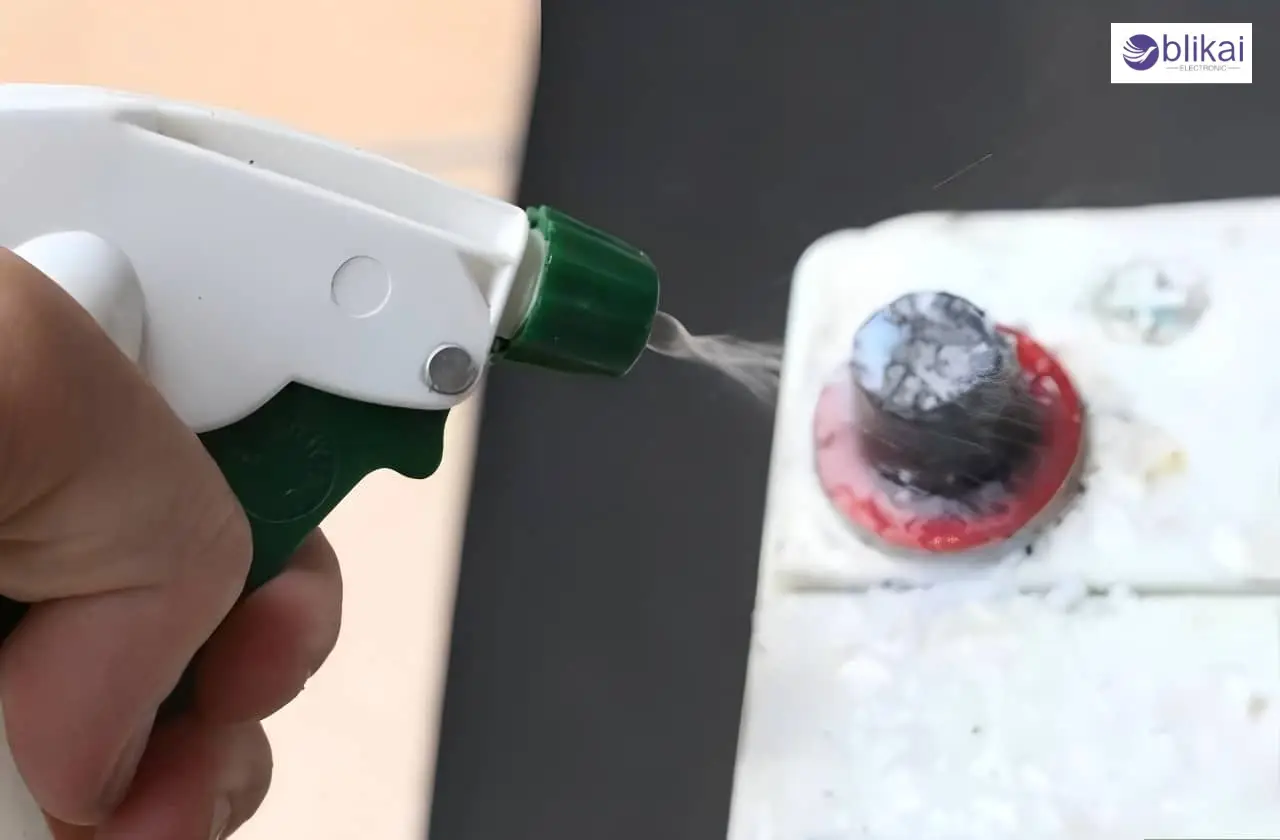
Once you have been careful to disconnect the terminals of the battery, you can begin to remove the corrosion. A small portion of baking soda should be added to a container, and water should be added to form a solution and paste. The baking soda helps in neutralizing the corrosion build-up, which is acidic, and acts as a mild abrasive, hence aiding in the disintegration of the rest. Use a little brush to put the cleaning solution on the affected part of the terminals, so that all the solution enters the corrosive areas. Allow the solution to remain for several minutes in order to dissolve the corrosion. But there is a probability that this accumulation may be exceedingly challenging, when you might find it necessary to pour in a little more of the solution and leave it a little longer.
Scrubbing the Terminals with a Wire Brush
Apply the cleaning solution, after which one should run a wire brush or terminal cleaning brush over the terminals and the battery post around them. A wire brush will assist in cleaning the metal surfaces, as well as the softened corrosion that has been eroded. Use a lot of care but not too much so as not to break the battery terminals or the other components near it. Wipe using a small circle on all surfaces left out to loosen whatever remains in it and ensure that no part of the terminal is left uncleaned. Take particular care of any areas where any form of corrosion has taken place, especially at the points where the cables are attached to the battery terminals. Upon the removal of all the corrosion, you are supposed to see clean metal surfaces free of accumulation.
Rinsing and Drying
Cleaning the terminals, now it is time to wash off the cleaning solution. Wipe up the baking soda and corrosion residues with a damp cloth or sponge and ensure that there is no leftover of cleaning agents. In case of necessity, you can use a small portion of water to rinse the terminals. Do not excessively wet the area; it will result in additional corrosion. After washing, make sure you wipe the terminals dry before leaving them in order to make them completely dry. Allow the battery terminals to dry for a few minutes, and then reinstall the battery terminals. This will ensure that water is not stored in the areas surrounding the terminals, and this might prove to be problematic in the future.
Reconnecting the Battery
When the terminals are dry, you can reconnect the battery cables. Begin by connecting the positive end first. Insert the positive cable into the post of the terminal and fasten it with the help of a wrench or socket. Also, make sure that the connection is not excessive, as this may end up damaging the terminal or cable. Once this has been done with the positive terminal, repeat with the negative terminal. Clip the negative cable, making sure that there is not only a stable connection but also a firm one. After reconnecting the two terminals, make sure the cables are in place and there is no loose connection that can cause electrical faults. You are now in a position to boot your device or car and see whether the battery is working well.
Preventing Future Corrosion
Tips to Reduce Battery Corrosion
A thin coating of petroleum jelly or dielectric grease on the terminals of the battery is one of the most efficient ways of protecting them after cleaning. This serves as a shield, and no moisture or air can directly contact the metal and subsequently inhibit the chances of corrosion. Also, terminal protectors or corrosion-resistant pads can be used, and are made to fit over the battery posts. Such pads provide compounds that counteract the acid and decrease the accumulation of corrosion in the long run. All you have to do is cover them over the terminal posts, then reconnect the cables. The other alternative is through the use of terminal sprays, in which the terminals are coated with a protective layer to ensure there is no risk of corrosion and to ensure that there is a strong electrical connection.
Regular Maintenance Checks
Check the battery terminals and environs after every few months to see whether there is any form of corrosion, leaks or buildups. When you observe certain corrosion, it can be cleaned immediately so that the damage does not become severe and the battery life is not lost. It is also important to check the tightness of the terminal connections regularly. The loose terminals may result in electrical resistance, resulting in overheating and possibly increasing the rate of corrosion.
Conclusion
These measures will allow you to maintain the well-being of your devices and vehicles. Better electrical connections can be achieved with clean terminals, and that means your battery will work better and last longer. Keeping the terminals clean is just a matter of time, but this may prove to be long-term, as they will not wear out prematurely, thus saving you the hassle of having to deal with unnecessary headaches in the future.
FAQ
What causes battery terminals to corrode?
Battery terminals get corroded when the metal mixes with moisture, air and alkaline or acidic solution in the battery. This will cause a cumulative corrosion with time, inhibiting an electrical flow.
How can I prevent battery terminal corrosion?
As a deterrent against corrosion, apply petroleum jelly or dielectric grease to the terminals, use terminal protectors or think of terminal sprays.
How do I safely clean corroded battery terminals?
Remove the battery, put on protective gloves and goggles, and pour an amount of baking soda-water solution over the terminals. Use a wire brush to scrub, rinse and dry, then reconnect the cables.
Some images are sourced online. Please contact us for removal if any copyright concerns arise.





